Roles & who can do what
MauriSign is organised in layers. An optional organisation groups several companies under one bill; each company is a workspace of its own; and inside a company, every person holds one role that decides what they can do.
This guide explains that structure and the four team roles, so you can give each colleague exactly the access they need.
- 1
The structure: organisation, company, people
A company (also called an account) is a self-contained workspace with its own documents, letterhead and tamper-evident audit trail. When you sign up, MauriSign creates one for you.
If you run several companies, they can be grouped under one organisation — a billing parent that pools everyone onto a single subscription. A company that isn't part of an organisation simply bills for itself.
People join a company by being invited, and each membership carries exactly one role.
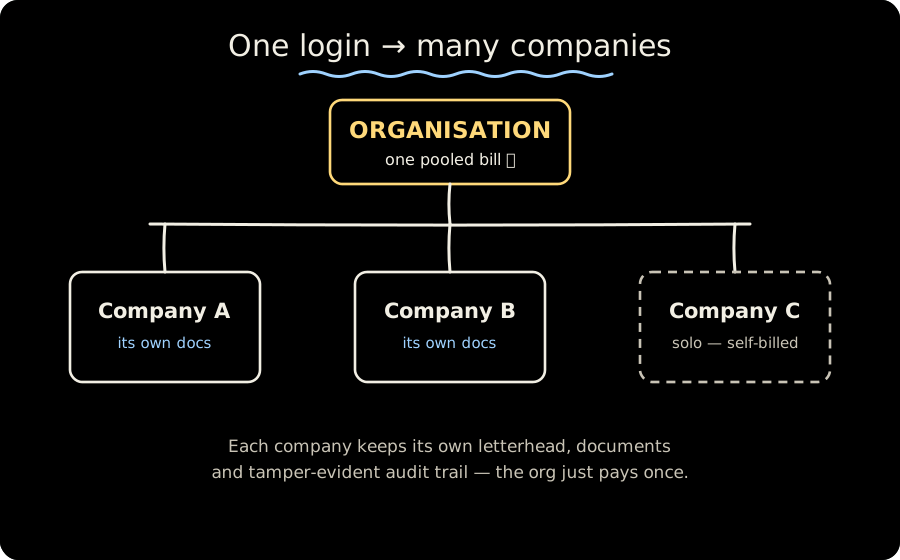
One login can span several companies under a single pooled bill. - 2
Owner — full control
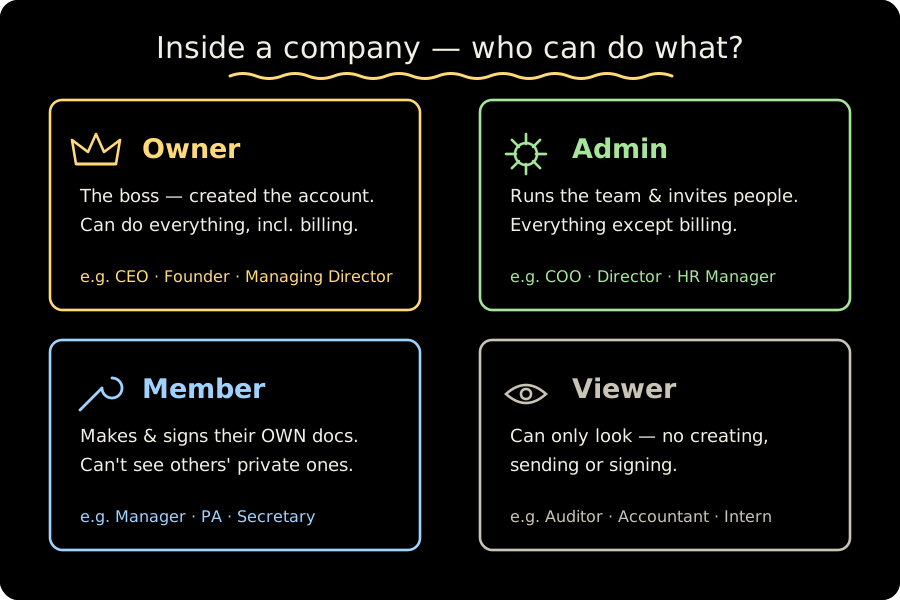
The owner is the person who created the account. They can do everything: create and send documents, invite and manage teammates, set up delegations, and — uniquely — manage billing, the plan and payment proofs.
Owners also see every document in the company, not just their own.
Typical titles: a CEO, founder or managing director — whoever ultimately owns the business.
Tip. Billing is owner-only. If a colleague needs to handle payments, they need the owner role.
- 3
Admin — manages the team
An admin runs the company day-to-day. They can create and send documents, invite and manage teammates, set up a director's delegation, and see every document in the company.
The one thing an admin can't do is manage billing — that stays with the owner.
Typical titles: a COO, a director, or an HR or office manager — someone trusted to run operations.
- 4
Member — does the work
A member creates and sends their own documents and signs what's assigned to them. This is the right role for most colleagues, and all a personal assistant needs.
Documents are private to their creator by default, so a member sees only their own — unless a document is explicitly shared with them, or they're acting under a delegation.
Typical titles: a manager, personal assistant or secretary — most of your team sits here.
- 5
Viewer — read only
A viewer can look at what's shared with them but can't create, send or sign anything. Use it for someone who needs visibility without the ability to make changes.
Typical titles: an external auditor, an accountant reviewing records, or an intern.
- 6
Business vs client on a document
Signing itself is separate from these team roles. On any document there's a business side — you and your company, who prepare and issue it — and a client side, the counterparty who signs.
A client never needs a MauriSign account: they open a secure link, confirm a one-time code, and sign.
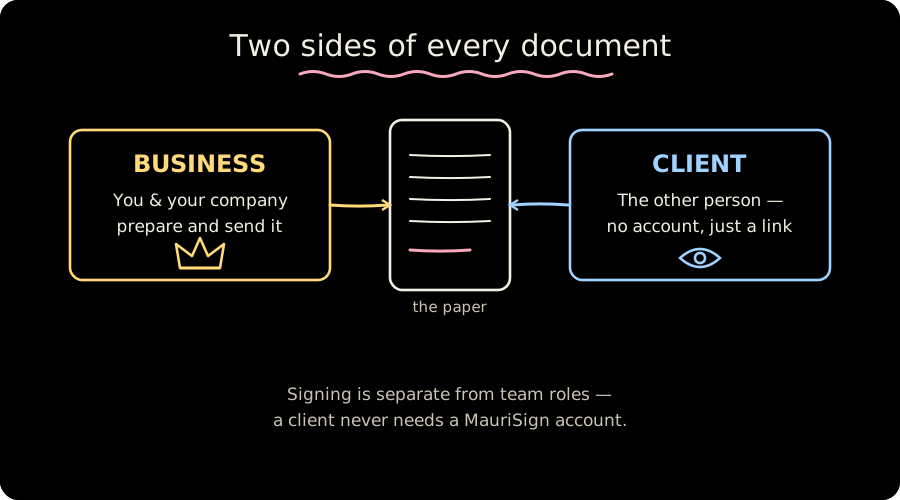
The sender (business) and the signer (client) are separate from team roles. Tip. Need an assistant to prepare and send on a director's behalf? See the "Let an assistant prepare & send for you" guide — a delegation grants that, but never the ability to sign for someone else.
Ready to try it yourself?
Start a free 14-day trial — no card required.